

In case there is no information for a particular TDS / TCS Return that needs to be filed, one option is to file a NIL Return. The other and better option is to declare this on TRACES web portal. This may be done through the software.
Click on ‘TRACES’ > ‘Non-Filing of Return’
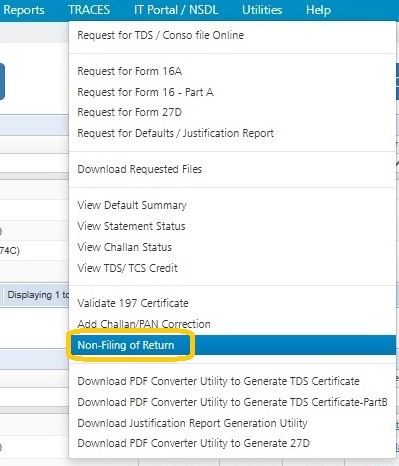
The following screen will get displayed :
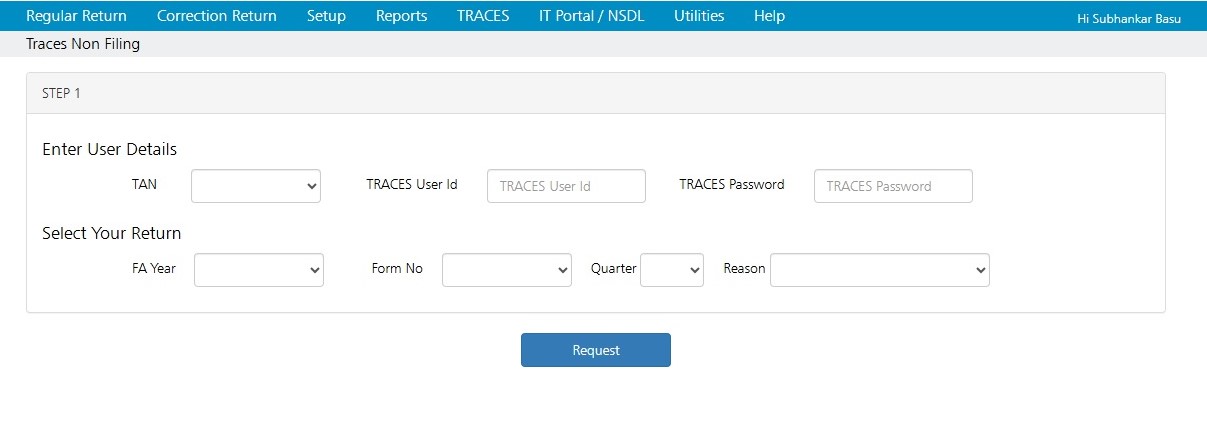
Select the TAN and Enter TRACES User Id and Password
Select the relevant Return
Select the Reason for Non-Filing, as shown below :
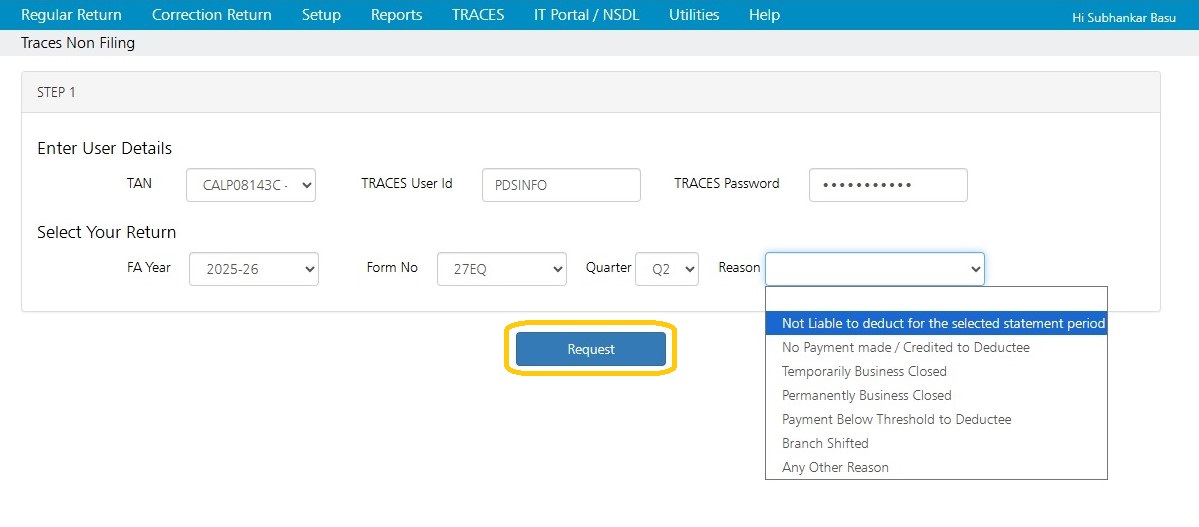
Click on ‘Request’. In the next step, login to TRACES, the following is displayed:
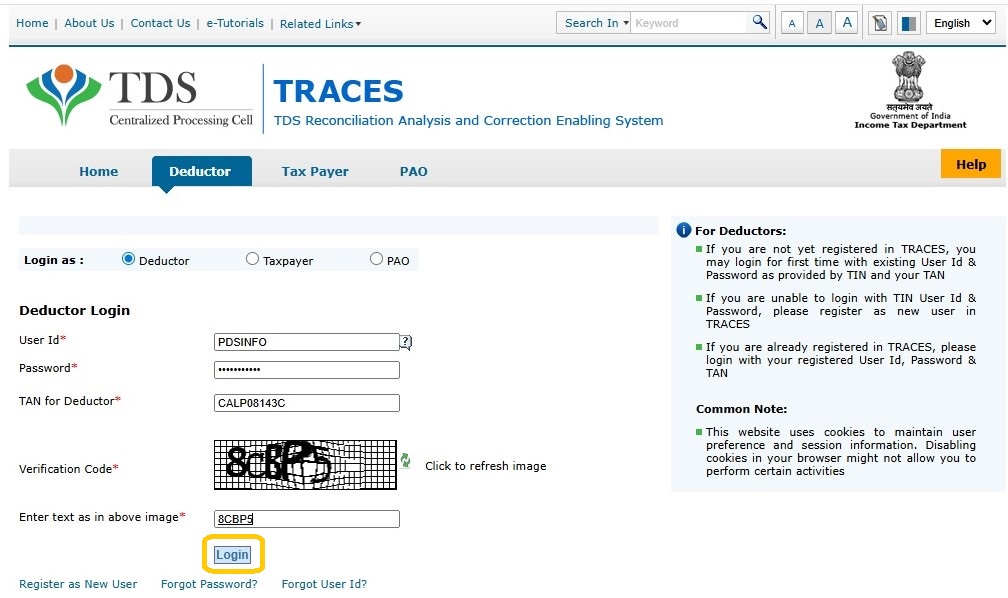
Enter the Captcha Code.
Click on ‘Login’
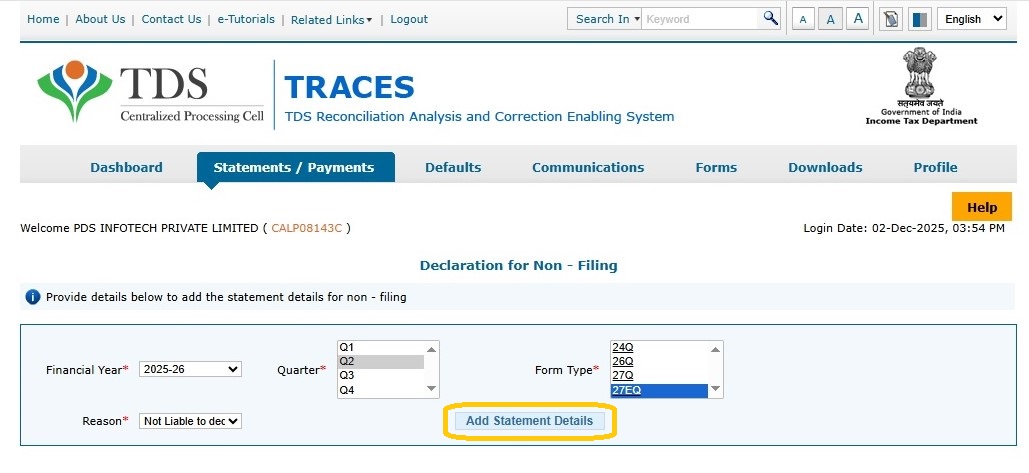
Provide details above to add the statement details for non – filing.
Click on ‘Add Statement Details’
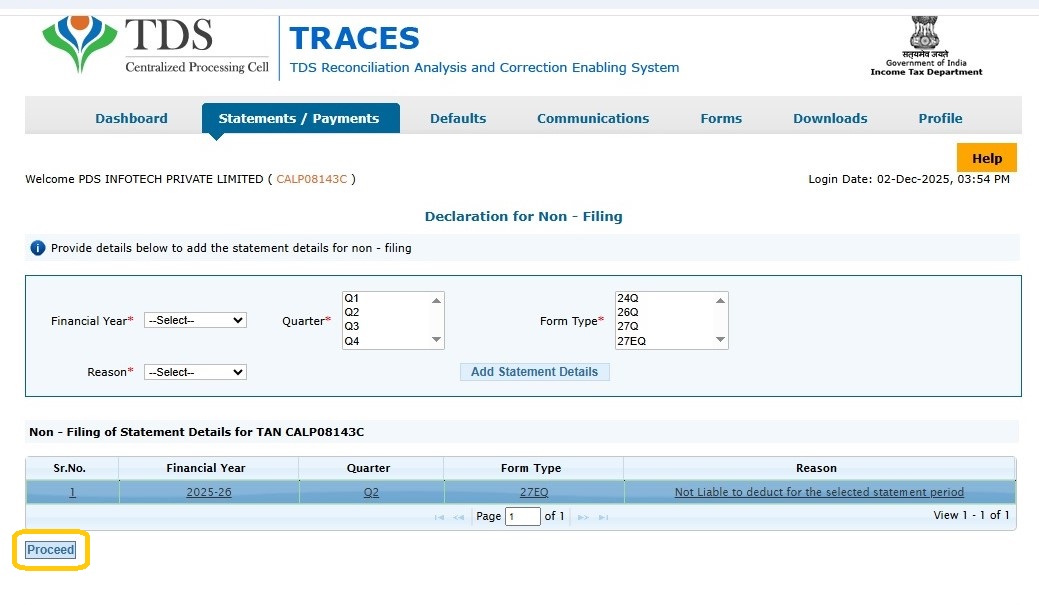
The relevant statement will get added.
Click on ‘Proceed’.
Once it is successfully done, confirmation message will be displayed.
Need more help with this?
EnterpriseTDS - Support